 Routix Dash
Incoming data flow
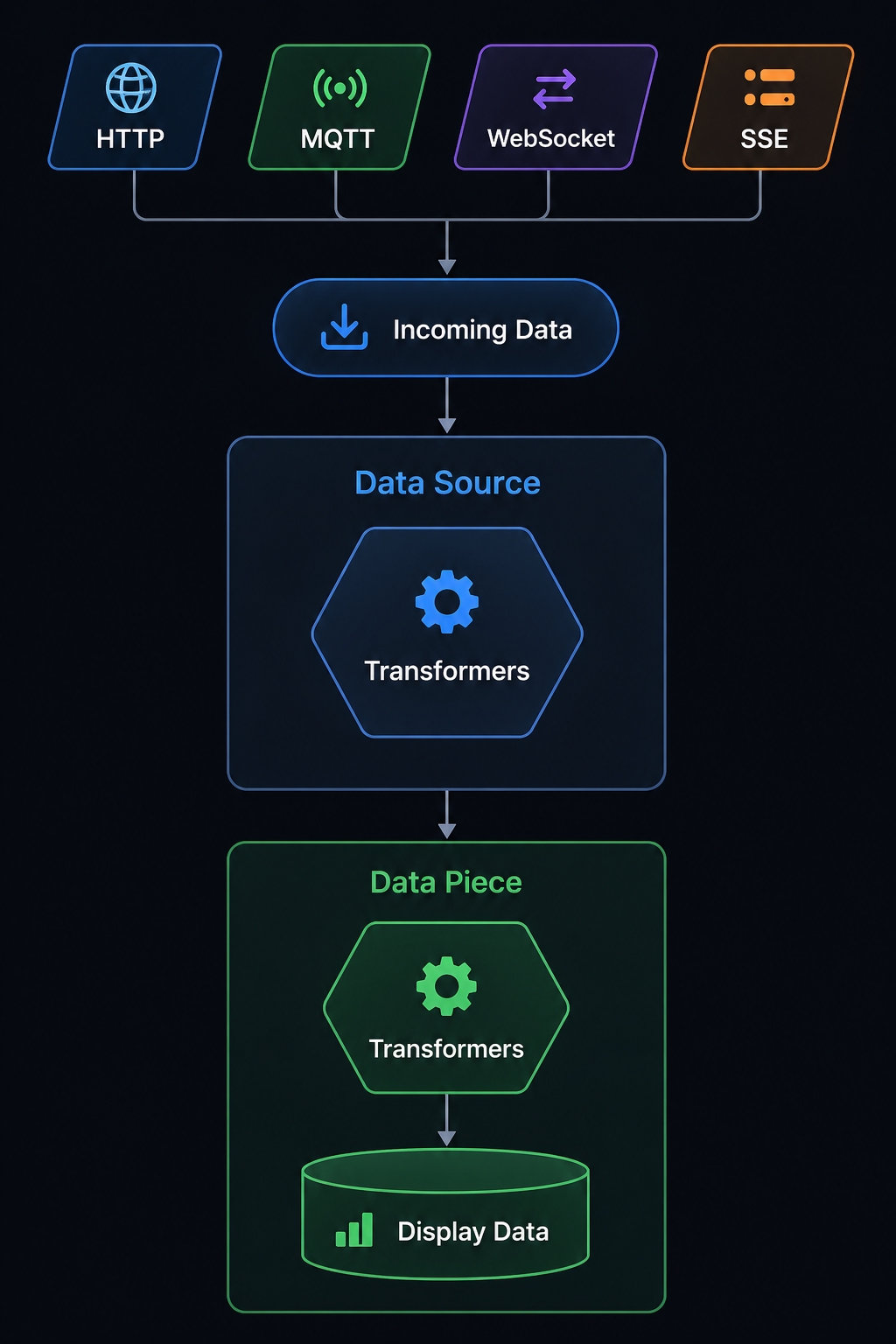
Here's the path data takes, from the network (or a timer) to what you see on screen:
- The source gets new data, or fails to: an Actions / Transformers pipe finishes, an MQTT message comes in, a WebSocket frame arrives, a Timer ticks — or a network error occurs.
- Until that happens, and when nothing is cached from an earlier session, a non-empty Default value is applied once on load for MQTT, WebSocket, and Manual sources.
- HTTP Auto polls and Timer ticks always continue to data pieces and components, even when Default value is empty or the result did not change (it can include
{{ source_value("Name") }}or{{ env.my_key }}; see Data sources and ENV variables).
- The run starts with
ctx.errorset tonullif it succeeded, or to an object withmessage,kind, and sometimesstatusCodeif it failed.- Connection details for this run — MQTT topic, HTTP last request (method, url,
requestHeaders, status, response time), WebSocket event, Timer tick, and similar — live underctx.transportwhen the source provides them. Every HTTP request overwritesctx.transport. - Put your own extras on other
ctxkeys.
- Connection details for this run — MQTT topic, HTTP last request (method, url,
- MQTT, WebSocket, Timer, and HTTP stream sources run transformers on the incoming value and its context. An HTTP stream does this once per line or chunk. HTTP poll sources run the Actions / Transformers pipe instead (requests plus optional expressions, JSONPath, Lua, or JavaScript). A Lua script can clear the error with
ctx.error = nil— later actions in the same list see it cleared. - The result is stored as the source's
value. - If the data piece has a root source, its transformers run on that stored value.
- Components with Inherited on and the same source as their parent (the data piece, or the group if the component is inside a group) get that parent's result after transformers, plus their own copy of
ctx.errorandctx.transport(when the source provided it).- If Inherited is off, or you pick a different source, that component starts from the source's
valueinstead. - Extra keys you set on
ctxin a source or data piece transformer stay in that chain — they do not copy to components.
- If Inherited is off, or you pick a different source, that component starts from the source's
- When Inherited is off, that component's own transformers run, for that component only. Its Lua transformer can clear its copy of the error without affecting other components. When Inherited is on, those transformers do not run.
- If a transformer throws, that component shows a red
#errorabove it in the editor; leftoverctx.erroris available to later transformers in that component chain.
Connection health stays on the status dot and in the connection log. A transformer that throws an error is also separate from ctx.error — it stops the rest of that source's, data piece's, or component chain of transformers.
Diagram
Sending data out (on tap)
Sending data works differently: a tap action on the data piece or on a component can Trigger data destination (reusable), send HTTP request / MQTT send / WebSocket send, or Trigger data source(s) to refresh incoming data. If the data piece has tap actions turned on, taps on that card run the data piece list and do not reach components.
In a tap run, ctx is a shared bag across actions — use it to keep extra data while value changes. See Tap actions and Data destinations (outgoing).
Changing look on a clock (not a Timer source)
Periodic action pipes on a data piece, a group, or a custom screen runs Lua or JavaScript on an interval to change how components look. It does not fetch data and does not replace the source value. ctx.intervalMs and ctx.tick belong to that list — they are not ctx.transport.intervalMs from a Timer source. See Periodic action pipes.
Where to configure each part
| Part | Configure in |
|---|---|
| The connection and polling | Data sources, MQTT/WebSocket connections |
| Shared hosts, tokens, strings | ENV variables (menu → Data → ENV variables) |
| Source transformers | The data source editor (HTTP stream, MQTT, WebSocket, Timer). HTTP sources use the Actions / Transformers pipe instead |
| Data piece transformers | Data piece editor with nothing selected |
| Component transformers | Component inspector on the data piece |
| Tap behavior and sending data out | Tap actions on the data piece or on a component (HTTP request, MQTT send, WebSocket send, or Trigger data destination), Data destinations |
| Look that changes on an interval | Periodic action pipes on the data piece, a group, or a custom screen |
In these editors, swipe a list row right to left to delete a transformer, tap action, source, destination, or connection.